Websites, workflows, tools, and internal systems

Practical modernization for small organizations.

Kelly Digital updates the digital systems that help small organizations run better, communicate clearly, and keep up with modern software.

Come with a defined project, or come with a messy process you cannot quite name. Either way, we start with what is not working and build the simplest useful improvement.

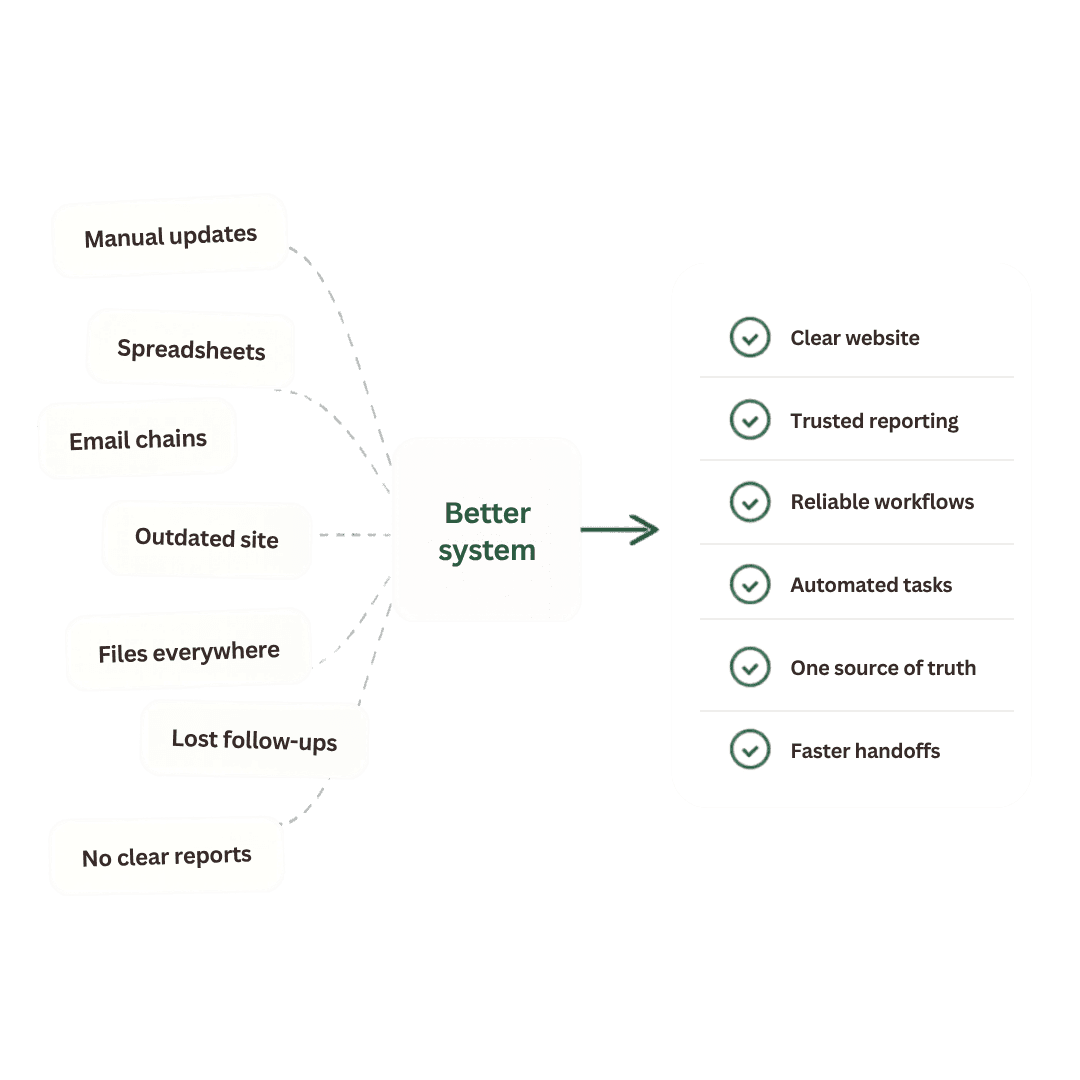
Modernization map

From scattered to usable

Active

Current mess

  • Manual updates
  • Lost follow-up
  • Spreadsheet drift

Existing tools

  • Forms
  • Email
  • CRM
  • Calendar
Better
system

Useful output

  • Clear site
  • Trusted report
  • Reliable workflow

Team result

  • Less guessing
  • Faster handoff
  • Cleaner ownership
01Two ways to start

Clear project

Build what you already know you need.

If the goal is already visible, Kelly Digital can design and build the website, app, dashboard, landing page, storefront, or workflow your organization has been meaning to ship.

Website refreshesLanding pagesStorefrontsDashboardsForms and intakeInternal tools

Messy problem

Find and fix what is not working.

If the pain is real but the fix is unclear, I can review the workflow, map the friction, and recommend practical updates before anything gets built.

Workflow auditsTool cleanupProcess mappingReporting gapsAutomation planningModernization roadmaps
02What gets modernized

The work behind the work gets easier to run.

Modernization is not one product. It is the practical update that makes the organization clearer, faster, and less dependent on workaround after workaround.

Websites that explain the work

Clear, fast, mobile-ready websites that make the next step obvious for prospects, members, customers, or residents.

Workflows that stop leaking time

Intake, follow-up, handoffs, reminders, and recurring tasks rebuilt so fewer things depend on memory and manual checking.

Internal tools that fit the team

Simple portals, forms, databases, and custom screens for the work that does not fit neatly inside off-the-shelf software.

Reporting people can trust

Dashboards and recurring reports that make the important numbers easier to see, explain, and act on.

Automation where it helps

Practical connections between the tools you already use, with enough clarity that your team understands what happens next.

Modern tooling with judgment

Current software resources applied carefully to real problems, without forcing every project into the latest trend.

03Process

Start clear. Build carefully. Leave it understandable.

01

Listen

We start with the messy version. What feels slow, confusing, outdated, repetitive, or harder than it should be?

02

Map

I translate the pain point into a simple picture of the people, tools, decisions, and handoffs involved.

03

Build

Then I design and build the practical improvement: a page, system, dashboard, automation, tool, or custom workflow.

04

Refine

We tighten the details, document what changed, and make sure the system is understandable after launch.

Plain-English technical help

The work should make sense before, during, and after the build.

Modern tools, careful judgment

New software is useful only when it makes the real workflow better.

Built with visible care

Small details matter because they shape whether people trust the system.

04Questions worth asking
Do we need to know exactly what we want before reaching out?

No. Some clients arrive with a clear project. Others only know that the current process is too manual, outdated, or hard to explain. Either starting point works.

Is this just web design?

No. Websites are one part of the work. Kelly Digital also helps with workflows, internal tools, reporting, automation, and custom software around operational pain points.

Where do modern AI tools fit?

They fit where they are useful. I use modern tools to speed up careful work, reduce repetitive effort, and shape practical systems. The point is not novelty. The point is a better way to work.

What if the project is too specialized?

I will say so early. The goal is to recommend the right path, not force every problem into my lane. If a project needs a specialist, that should be clear before you spend serious money.

Start with the problem

Send the messy version. We can sort out the shape from there.

You do not need a polished scope document. A few sentences about what feels slow, manual, outdated, confusing, or hard to explain is enough to start.

Email scott.builds.ai@gmail.com

Email-first while delivery setup is pending

Send a short note directly, and include the rough details.

The contact form delivery step is not turned on yet. Direct email is the reliable path right now, and a plain description is enough to start.

Helpful details to include:

  • What feels slow, manual, outdated, confusing, or hard to explain.
  • The kind of organization, team, or workflow involved.
  • Any timing, deadline, or next decision that matters.
Open an email draft

Please do not include passwords, payment details, or private customer records in the first note.